> ## Documentation Index
> Fetch the complete documentation index at: https://docs.gocertify.me/llms.txt
> Use this file to discover all available pages before exploring further.
# OfferHub
> Start building loyal communities with targeted, gated offers.
OfferHub is a centralised location for all your discounts and offers. It's a great way to showcase all your discounts in one place and drive traffic to your site.
Best practice is to create a dedicated multi-offers page to showcase all your discounts in one place. To increase SEO traffic ensure the terms “discount codes”, “offers” and “coupon” (if wanting to rank in the the USA) are mentioned:
* **Clear Page Slug:** i.e `discounts`
* **Meta title and H1:** Official *Brand* Discount Codes and Offers
* **Meta description:** Did you just search for a *brand* discount code? That's an intelligent move - you're obviously a savvy shopper. This is the official discount code page for *brand* and you won't find a better discount elsewhere.
* **Relevant Copy:** \~300 words talking about the rewards you offer and why they're important to your audience.
* **FAQs:** Answer common questions about your rewards.
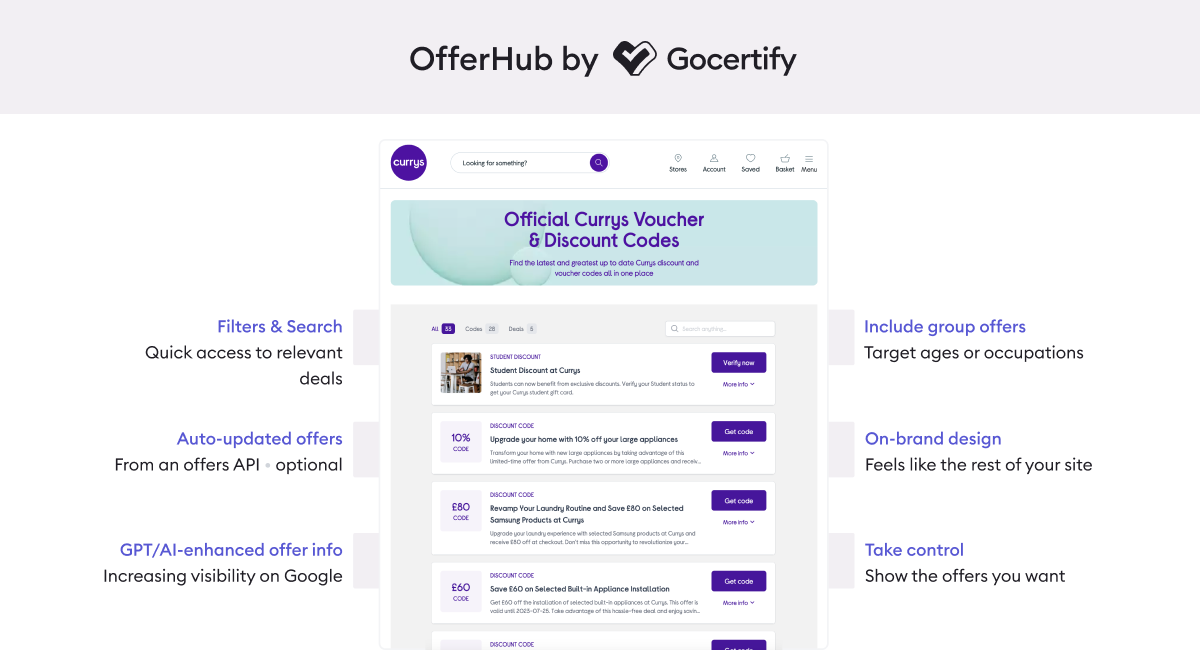 To add OfferHub to your site, follow these steps:
Create a new page on your site to host your OfferHub, most brands use `company.com/offers` or `company.com/discounts`.
Your Gocertify account manager can provide you with the relevant iFrame code for each campaign.
Once you have your basic page setup you can paste in the following iFrame within the `` tag. This determines where Gocertify OfferHub will appear.
```html iFrame theme={null}
```
To add OfferHub to your site, follow these steps:
Create a new page on your site to host your OfferHub, most brands use `company.com/offers` or `company.com/discounts`.
Your Gocertify account manager can provide you with the relevant iFrame code for each campaign.
Once you have your basic page setup you can paste in the following iFrame within the `` tag. This determines where Gocertify OfferHub will appear.
```html iFrame theme={null}
```