> ## Documentation Index
> Fetch the complete documentation index at: https://docs.gocertify.me/llms.txt
> Use this file to discover all available pages before exploring further.
# Choose your reward
> Create reusable offers to manage rewards across multiple campaigns.
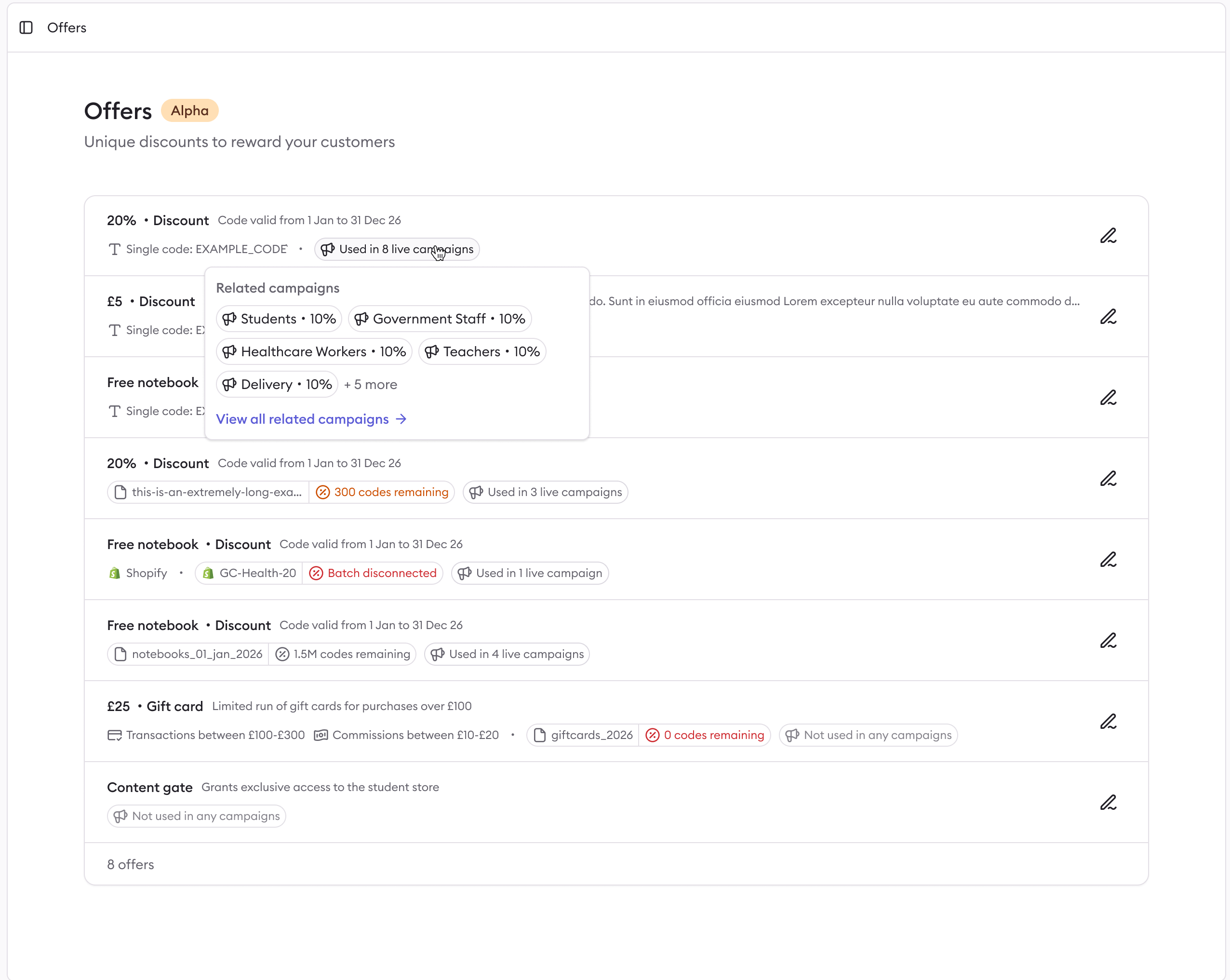
An **offer** is a reusable reward (i.e. discounts, gift card or private storefront) that you set up once and attach to one or more campaigns. When you update an offer, every linked campaign stays in sync automatically.
 ## Reward types
Each offer uses one of three reward types. The reward type is set when you create the offer and cannot be changed afterwards.
Unique or multi-use codes for monetary and percentage-off incentives.
Delivered digitally after qualifying purchases via your affiliate network.
Exclusive access to a discounted pricing storefront or premium content.
## Creating an offer
From the dashboard, select **Offers** from the side menu.
Click **New offer** and select the reward type: **Discount**, **Gift card**, or **Content gate**.
Give the offer a name and fill in the reward-specific settings — delivery method, discount value, gift card batch, or content gate copy. See the guides above for details on each reward type.
Once saved, select the offer when creating or editing a campaign. Any future changes to the offer will automatically apply to all linked campaigns.
You can link your preferred reward platform (e.g. Uniqodo) to your Gocertify account for an automated reward feed, or upload a CSV file of your existing codes.
## Reward types
Each offer uses one of three reward types. The reward type is set when you create the offer and cannot be changed afterwards.
Unique or multi-use codes for monetary and percentage-off incentives.
Delivered digitally after qualifying purchases via your affiliate network.
Exclusive access to a discounted pricing storefront or premium content.
## Creating an offer
From the dashboard, select **Offers** from the side menu.
Click **New offer** and select the reward type: **Discount**, **Gift card**, or **Content gate**.
Give the offer a name and fill in the reward-specific settings — delivery method, discount value, gift card batch, or content gate copy. See the guides above for details on each reward type.
Once saved, select the offer when creating or editing a campaign. Any future changes to the offer will automatically apply to all linked campaigns.
You can link your preferred reward platform (e.g. Uniqodo) to your Gocertify account for an automated reward feed, or upload a CSV file of your existing codes.